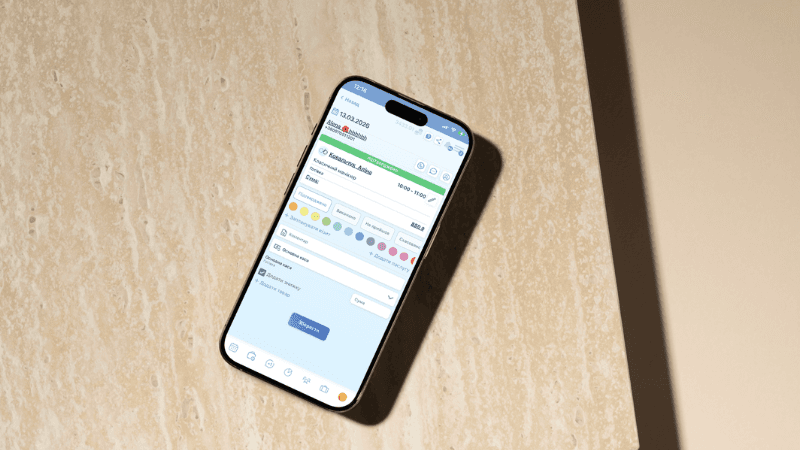
How to Choose a CRM for a Beauty Salon: 5 Criteria and Common Mistakes
Most salon owners choose the wrong CRM. Not because they're incompetent, but because they're looking for the "best system," not the right one for their needs.
For this purpose, a program for recording clients of a beauty salon was created; for more information, follow the link.
As a result, after 2-3 months, the CRM is installed but not used. Employees return to messaging apps, the administrator goes back to manually maintaining records, and the owner thinks "the CRM isn't working." For more information, we recommend reading the article "What is a CRM System in Simple Terms? "
It works. It was just chosen for the wrong business.
In this article, we'll explore the differences between a CRM and a simple appointment scheduling program, 5 criteria for choosing the right one, common mistakes, and what changes 30 days after implementation.
How is CRM different from a simple recording program?
This is the first question you need to understand before choosing a system.
The appointment program answers one question: “When will the client arrive?”
A CRM system for a beauty salon answers another question: "What happens to the client next?"
If you haven't yet decided on a base, first read: Beauty salon client booking software (article 1 of the first cluster) - what it is and where to start.
This is why a salon with online-only booking still loses clients... We suggest reading the article "Online booking for beauty salons - how to increase bookings and avoid losing clients" in more detail.
The system doesn't do anything else. Whereas a CRM builds a complete chain: the client signs up, receives confirmation, comes back, their history is saved, the system reminds them of a return visit, and the owner sees the analytics.
This is why salons that only offer online booking still lose clients between appointments—the system simply doesn't detect that they've stopped coming. A CRM transforms this chaotic flow into a manageable process. It's more than just a client booking program—it's a business management tool.
5 Criteria for Choosing a CRM for a Beauty Salon
Not features. Not price. Not a "best systems ranking." It's the criteria that influence the actual results.
1. Simplicity for the team
The most functional CRM system for a beauty salon is useless if employees ignore it. Ask yourself a simple question: can an administrator figure it out in 1-2 days without specialized training? If not, the system is too complex for your format. Complexity kills implementation.
2. Covers key losses
Before choosing, identify where exactly you're currently losing money. If clients aren't coming, you need automatic reminders. If clients aren't returning, you need a database with visit histories and a re-booking tool. If you're losing requests from Instagram and messengers, you need integration with them. If you don't understand your actual profits, you need financial analytics. If a CRM system doesn't address your specific pain points, it won't stick, no matter how attractive it looks.
You can learn more about this issue in our blog article "Why Are There No Clients in a Beauty Salon ?" You'll find answers to your questions there. Also, check out the article "How to Fill Empty Spaces in a Beauty Salon Appointment ."
3. Mobility
In the Ukrainian context, this is critical. A beauty salon's client tracking system must be fully functional on a phone, preferably offline or with minimal internet connection. Blackouts happen—your business shouldn't stop when the power goes down. Before purchasing, test how the system performs with an unstable connection.
4. Support and training
Implementation isn't just about installing an app. It's important to understand whether there's training for employees, how quickly the support team responds, and whether instructions are available in Ukrainian or Russian. Foreign systems often fall short here: they may have a beautiful interface, but support is only in English and take a week to get a response.
5. Scalability
If you currently have two specialists, but plan to expand to a team of five in a year, check in advance whether the system can grow with your business. Changing your CRM a second time is a pain: database migration, team retraining, and wasted time. It's better to choose a system with a margin of safety.
Which CRMs are suitable for a salon in Ukraine: a brief comparison
There are dozens of systems on the market today, but not all are suitable for Ukrainian businesses. Some are Russian products, which many salons will not use on principle after 2022. Others are too complex or lack adequate support in Ukrainian or Russian.
When it comes to truly viable options for Ukrainian salons, several systems are worth considering. AlviBeauty is a Ukrainian CRM system for beauty salons, barbershops, and studios. Suitable for most formats, it has a mobile app for iOS and Android, support in Ukrainian and Russian, and plans start at 500 UAH per month.
For most Ukrainian salons, the optimal range is 400–700 UAH per month. The key when choosing a system isn't the lowest price, but how well it fits into your daily processes. Once the system is in place, the next step is attracting clients to your beauty salon in 2026 .
Common Mistakes When Choosing a CRM – and How to Avoid Them
Mistake 1: Choosing by the list of functions, not by tasks
"They have SMS, email, a warehouse, analytics, integrations—let's take them!" A month later, it turns out that only two functions are actually used, and the system is too complex for the administrator—they simply bypass it. The correct approach is the opposite: first, identify the three biggest pain points of your business right now, and only then look for a system that addresses them.
Mistake 2: Not testing properly
Most systems offer a 14-30 day free trial. Most owners use this time to "test the waters"—clicking through menus and scrolling through features. This isn't a test. A real test is as follows: add real clients, make real records, and ask the administrator to work exclusively in the new system for three days, without a parallel Excel server. If it doesn't stick within three days, it won't stick at all.
Mistake 3: Buying for growth too early
A complex CRM for a salon with one or two stylists is overwhelming. The team wastes time learning the tool instead of working with clients. Profits don't grow, but frustration grows. It's much wiser to start with a simple system and grow organically than to buy an enterprise solution and use only 10% of its capabilities.
Mistake 4: Ignoring the client database transfer
If you already have a client database—even in Excel or a notepad—be sure to check that the new CRM allows you to import it before you begin. Losing your existing database when switching to a new system is a disaster that can easily be avoided with a simple check beforehand.
How to Implement CRM in a Beauty Salon: Step-by-Step, Without Chaos
Implementation seems more daunting than it actually is. If done consistently, the entire process takes 3-4 weeks, with the first tangible results appearing as early as the second week.
- Days 1–2: Database setup. Enter services, technicians, and working hours. Import your existing client database. This is the foundation—without it, the system is running on empty.
- Days 3–5: The administrator begins working in the system. All new entries are processed exclusively through the CRM. We don't work with the old system in parallel—it creates confusion and is demotivating.
- Week 2: Set up reminders. Set up automatic SMS or push notifications before your appointment. From this point on, no-show rates begin to decline—the first measurable result.
- Weeks 3–4: Initial analytics. You start reviewing reports. Which clients haven't returned? Which services are in demand? Which technician is the least busy? This is where CRM stops being just a program and becomes a business management tool. Learn more about how to read these reports and increase profits— how to manage records in a beauty salon and increase profits .
What changes 30 days after CRM implementation
Week 1
The administrator no longer has to keep track of the schedule in their head—everything is visible on one screen. The first clients receive automatic reminders. Scheduling conflicts are noticeably reduced—the human factor is eliminated.
Week 2-3
No-shows are reduced by 10-20%—reminders are doing their job. You begin to see how many clients are new and how many are returning. You begin to understand the actual workload of each technician.
End of the first month
Here's your first financial report: revenue, expenses, and average order value. You understand which services are bringing in the most money and which are breaking even. You can call clients who haven't called in over a month—the system automatically displays their list. Most importantly, your business no longer relies on the administrator's memory. The information now belongs to the company, not to any individual employee.
It's not magic. It's structure. This is how CRM transforms a chaotic salon into a systemic business.
How much does CRM cost and when does it pay for itself?
Cost is the last thing you should look at. The first question to ask is: how much are you losing without a system right now?
Let's calculate this using a simple example. The average bill at the salon is 500 UAH. No-shows are 2-3 clients per week. That's 4,000 to 6,000 UAH in lost sales monthly just from empty windows . And that's not counting clients who didn't return due to a lack of reminders.
A CRM system for a beauty salon costs between 400 and 1,500 UAH per month, depending on the functionality and the number of specialists. If it reduces no-shows by 15%, it pays for itself within the first month. This isn't an expense. It's an investment with a measurable and rapid return.
Purchasing a license or a subscription: what's more profitable for a salon?
Most CRM systems are sold under two models, and it's important to understand the difference before you pay.
A subscription is a monthly or annual fee for access to the system. The cost is low: from 300 to 1,500 UAH per month. Updates are automatic, support is included, and if the system isn't right for you, you don't have to renew. The risk of entry is minimal.
A one-time license is a one-time payment for the right to use the program. While this may seem more cost-effective at first glance, it comes with hidden costs: updates are often paid for, support is separate, and implementation and training are also required. The entry threshold is high: from 5,000 to 30,000 UAH. This option is only feasible for large networks with an in-house IT department.
For most Ukrainian salons, a subscription is more cost-effective across the board: less risk, predictable costs, always up-to-date software, and included support. If the system isn't right for you, you won't lose a significant amount.
CRM for a salon in Ukraine: What to look for in 2026
The Ukrainian CRM market has its own unique characteristics, which most reviews ignore. Here's what's important to consider right now.
Working during blackouts. The appointment and client management system must be fully functional on a phone without a stable internet connection or sync quickly when connected. This isn't a "nice-to-have" option—it's a basic requirement for Ukrainian businesses.
Abandoning Russian systems. YClients, AmoCRM, and Bitrix24 are Russian services. After 2022, a significant number of Ukrainian salons have made a categorical switch to an alternative: AlviBeauty. This isn't just a matter of principle—it's a matter of client data security.
Integration with Ukrainian payment systems. It's important that the CRM supports payments via Monobank and PrivatBank QR codes, as well as payment links—this is how customers pay in Ukraine today.
Support is available in Ukrainian and Russian. This saves time when training the team and resolving technical issues. Support only in English is a real challenge when working with administrators.
Bottom line: how to make the right choice
The right CRM isn't the most expensive or the most popular. It's the one your team actually uses every day.
The algorithm is simple. First, identify your three biggest business pain points right now. Then find two or three systems that address them. Test them realistically—don't just look at them, but use them for three to five days. Implement them gradually according to the plan above. After 30 days, look at the numbers, not just your feelings.
If you want to see how a CRM for a beauty salon in Ukraine works in practice, you can find more information at https://alvibeauty.com/ru-ua/crm_info
Frequently Asked Questions
Do you need a CRM if your salon only has 1-2 stylists?
Yes, but start with a simple system. The main goal at this stage is to stop losing clients due to a lack of reminders and consolidate your database in one place. Even the basic plan of any of the systems listed above will do this.
How long does it take to implement?
Basic implementation takes 2–3 days. Fully functional analytics and all features are available in 2–4 weeks. There's no need to wait for full implementation to start seeing results. Reminders are active from day one.
Is it possible to switch from one CRM to another without losing the database?
Yes, if you export your customer database to Excel beforehand and then import it into the new system. Most modern CRMs support importing. The main rule: export before disabling the old system, not after.
What is the most popular CRM in Ukraine?
AlviBeauty is a popular Ukrainian solution, according to many surveys. Its popularity is currently gaining considerable interest. Each system has its own specific features and strengths.
How to organize client registration without an administrator?
A CRM with online client scheduling allows for 24/7 booking without human intervention. Clients select the service, technician, and appointment time. The system automatically records the booking, sends confirmations, and reminders. An administrator is required only for complex or non-standard situations.
Related articles
- Online booking for a beauty salon: clients and automation
- Why does a beauty salon need a CRM if it has online booking?
- How to reduce customer no-shows at a beauty salon
- Why are there no clients in a beauty salon? Reasons and solutions
- What is a CRM system in simple terms?
- Client booking system in a beauty salon